
What Do Data Centre Technicians Actually Do Every Day in their facilities?
If you have ever wondered who keeps the servers, networks, power systems and cooling equipment inside a data centre running around the clock, data centre technicians are a major part of the answer.
A data centre technician works behind the scenes to help keep the physical infrastructure supporting websites, cloud platforms, financial services, artificial intelligence, business applications and countless digital services available and reliable.
It is a role that combines technology with practical problem-solving. Depending on the employer, technicians might install servers, replace failed components, trace network cables, respond to alarms, inspect equipment, escort contractors, record maintenance work or troubleshoot a fault that needs immediate attention.
For job seekers, this is what makes the career interesting: there is no single “typical” day.
As data centres become larger and more technically demanding, particularly with the expansion of AI Data Centre Infrastructure UK, technicians are working in facilities containing increasingly powerful computing, electrical and cooling systems.
So, what does a data centre technician actually do during a normal working day? Here is what prospective employees should know.
What Is a Data Centre Technician?
A data centre technician is responsible for helping operate, maintain and support the equipment and infrastructure within a data centre.
The exact job description varies significantly between employers.
Some technicians concentrate primarily on IT hardware. They may install servers, replace hard drives, connect network equipment and diagnose hardware faults.
Others work within critical facilities teams and concentrate more heavily on electrical and mechanical infrastructure, including cooling equipment, uninterruptible power supplies (UPS), generators and power distribution systems.
Larger facilities can separate these responsibilities into specialist teams, whereas technicians at smaller sites may have broader duties.
You may therefore see vacancies advertised under titles including:
- Data Centre Technician
- Data Centre Engineer
- Data Centre Operations Technician
- Critical Facilities Technician
- Infrastructure Technician
- IT Hardware Technician
- Network Technician
- Data Centre Operations Engineer
Always read the actual responsibilities rather than relying entirely on the job title.
What Does the Start of a Shift Look Like?
Many data centres operate continuously, 24 hours a day, 365 days a year. Depending on the facility and position, technicians may therefore work rotating shifts that include days, nights, weekends and public holidays.
A shift commonly starts with a handover.
The incoming team needs to understand what happened during the previous shift and whether there are unresolved problems.
A handover might cover alarms, equipment faults, maintenance activity, contractor visits, capacity issues, customer requests or equipment being monitored after a repair.
This information matters because seemingly minor events can become important later.
For example, if a cooling unit has been producing intermittent warnings, the incoming technician needs to know. If a server rack has recently experienced an unusual temperature increase, that also needs to be communicated.
Good technicians do not simply arrive and start replacing hardware. They first build a clear picture of the facility’s current operational condition.
Checking Alarms and Monitoring Systems
One of the first practical jobs can be checking monitoring and management systems.
Data centres generate enormous quantities of operational information.
Technicians may monitor temperatures, humidity, electrical loads, cooling equipment, power systems, network connectivity and environmental conditions.
Different facilities use different monitoring platforms, including building management systems and data centre infrastructure management tools.
Most of the time, the purpose is not simply to stare at screens waiting for something to fail.
Technicians look for abnormalities and developing trends.
Is a temperature increasing unexpectedly?
Has a UPS generated an alert?
Is a cooling system behaving differently from normal?
Has a piece of IT equipment stopped responding?
Early detection can allow the operations team to investigate before a minor issue develops into a more significant incident.
Walking the Data Hall
Despite the technology involved, data centre work can be surprisingly physical.
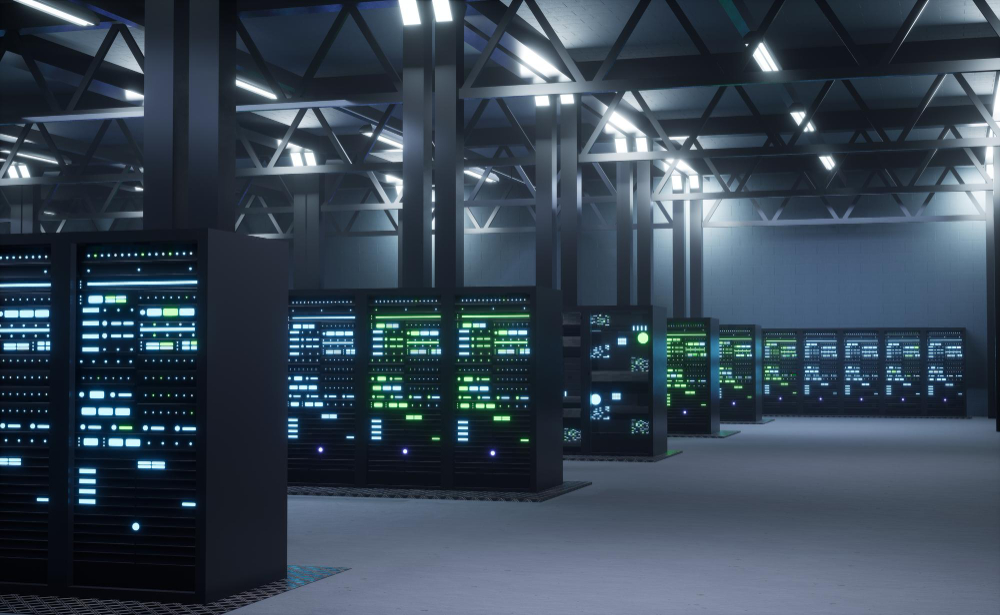
Technicians regularly spend time walking through data halls and inspecting equipment.
A visual inspection can identify things that automated monitoring does not necessarily explain.
Technicians may check indicator lights, listen for unusual sounds, inspect cabinets, examine cables and look for anything that appears different from normal operating conditions.
Housekeeping matters too.
Data centres need controlled environments. Poor cable management, misplaced equipment or obstructions can create operational or safety problems.
Technicians therefore need attention to detail.
A flashing warning light that somebody ignores could indicate a developing equipment problem. A cable connected to the wrong port can create hours of troubleshooting. A badly labelled connection can make future maintenance unnecessarily difficult.
Small details matter in environments containing thousands of interconnected components.
Installing Servers and IT Equipment
For IT-focused data centre technicians, installing equipment is a major part of the job.
A new server does not simply arrive and start operating.
Depending on the organisation, a technician may receive the equipment, confirm its identity, inspect it, move it into the correct data hall and install it in a designated rack.
This process is often called “racking”.
The technician may then connect power and network cables according to the approved design.
Labelling is particularly important.
A large facility can contain thousands of cables. Without accurate labelling and documentation, troubleshooting becomes much more difficult.
After installation, the technician may perform basic hardware checks and confirm that the equipment is accessible to the appropriate remote teams.
The operating system, applications and software configuration may be handled by another specialist team.
This distinction is worth understanding if you are considering a data centre career. Data centre technicians often work extensively with computers without spending their entire day programming or writing software.
Replacing Failed Components
Hardware eventually fails.
Hard drives, solid-state drives, power supplies, fans, memory modules and other components can develop faults.
A monitoring system or remote engineering team may identify a failed component and create a support ticket.
The technician then needs to locate the correct equipment.
That sounds simple until you consider the scale of a large data centre. A facility can contain rows of racks filled with visually similar equipment.
Accurate asset records, rack locations and equipment identifiers are therefore essential.
Once the correct server has been identified, the technician follows the authorised procedure to replace the component.
The work may then need to be tested and documented before the ticket is closed.
Cabling Is a Bigger Part of the Job Than Many People Expect
Anyone imagining a data centre career as purely computer-based may be surprised by how important cabling is.
Servers, storage devices, switches and other equipment require extensive connectivity.
Technicians may install copper or fibre connections, trace existing cables, replace damaged connections or troubleshoot connectivity problems.
Cable management needs to be methodical.
Cables should be routed appropriately, labelled correctly and installed without creating unnecessary obstruction or confusion.
A technician might also need to trace a connection between two pieces of equipment.
When a network problem occurs, one of the basic questions is whether the physical connection is correct.
A sophisticated digital service can ultimately depend on something as simple as whether the right cable is connected to the right port.
Troubleshooting Problems
Problem-solving is at the heart of data centre operations.
A ticket might say that a server is unreachable.
Why?
The answer could be a failed power supply, disconnected cable, network problem, faulty component or something completely different.
The technician needs to investigate logically rather than guessing.
This is where a methodical mindset becomes valuable.
What changed?
What is working?
What is not working?
Are there warning lights?
Does the equipment have power?
Are the cables connected correctly?
Has another team already investigated the problem?
Good troubleshooting involves narrowing down possibilities until the cause can be identified.
Knowing when not to intervene is equally important. Technicians work within defined responsibilities, procedures and authorisations. If a task requires specialist competence or approval, it should be escalated to the appropriate person rather than improvised.
Working Around Critical Power and Cooling Infrastructure
Servers generate heat and consume significant amounts of electricity. Keeping them operating reliably therefore depends on far more than IT hardware.
Behind the racks is substantial supporting infrastructure.
Depending on the facility, this can include UPS systems, batteries, switchgear, generators, transformers, pumps, chillers, cooling units and power distribution equipment.
Critical facilities technicians can spend much of their working day monitoring and maintaining these systems.
Scheduled inspections and preventive maintenance are important because the objective is not merely to repair equipment after it fails. It is to identify potential problems before they interrupt operations.
Electrical work also carries obvious risks and must be undertaken within appropriate safe systems of work and by people with the necessary competence.
The UK’s Health and Safety Executive guidance on safe electrical working practices emphasises the importance of planning electrical work, competence and safe working practices when people work on or near electrical equipment.
A technician’s exact responsibilities around electrical systems will depend on their qualifications, training, employer and level of authorisation.
Responding When Something Goes Wrong
Most shifts are built around planned tasks, inspections and routine operations.
Occasionally, that changes very quickly.
An alarm may indicate a power problem. A cooling unit could fail. Network equipment could stop responding. A customer could report inaccessible hardware.
The technician’s priorities then change.
The first task is normally to understand the situation, follow the relevant incident procedure and communicate with the necessary teams.
Data centre incidents are not environments for uncontrolled experimentation.
Procedures exist because one incorrect action can potentially affect other systems.
Technicians need to remain calm, work methodically and document what is happening.
After an incident has been resolved, teams may review what happened, what caused it and whether changes are required to reduce the likelihood of recurrence.
Remote Hands: Being the Eyes and Hands for Someone Else
One particularly interesting part of the job is often called “remote hands”.
The engineer responsible for a server or network device might be hundreds or even thousands of miles away.
They cannot physically inspect the machine.
The data centre technician can.
A remote engineer might ask a technician to check an indicator light, confirm a cable connection, replace a component, connect a console cable or restart equipment according to an authorised procedure.
The technician effectively becomes the remote engineer’s physical presence inside the data centre.
Communication is crucial.
Instructions need to be understood precisely, and the technician must accurately report what they see.
Saying “the server looks fine” is less useful than accurately reporting the status of individual indicators, connections and error messages.
Managing Tickets and Documentation
Data centre technicians do not spend their entire working day carrying tools.
Documentation is a significant part of professional data centre operations.
Work is commonly controlled through ticketing or change-management systems.
A technician might receive a ticket asking them to replace a component, investigate an alarm or install equipment.
The technician then records what was done and the outcome.
This creates an operational history.
Accurate records become extremely valuable when another technician needs to understand previous work on the same equipment.
Documentation can include asset numbers, serial numbers, rack positions, cable information, test results, maintenance records and incident notes.
For job seekers, this means written communication skills are more important than many people initially assume.
Working with Contractors and Visitors
Data centres frequently have external specialists entering the site.
These could include electrical contractors, cooling engineers, equipment manufacturers, telecommunications providers and maintenance companies.
Technicians may help coordinate their access and work.
This can involve checking authorisation, escorting contractors into restricted areas and ensuring work takes place in accordance with site procedures.
A contractor cannot simply walk into a data hall and begin working.
Physical access is tightly controlled because data centres contain valuable infrastructure and potentially sensitive customer equipment.
Security Is Part of Everyday Operations
Physical security is fundamental to data centre operations.
Technicians may work behind multiple layers of controlled access, surveillance and identity verification.
Depending on the site, entering sensitive areas can require electronic credentials, security checks or additional authorisation.
Technicians need to follow these procedures every day, even when they know everyone involved.
That discipline matters.
Allowing an unauthorised person through a secure door because they “look familiar” defeats the purpose of having access controls.
The same principle applies to equipment.
Technicians should only work on systems they are authorised to access and should follow established procedures for handling devices, storage media and customer assets.
What Skills Does a Data Centre Technician Need?
Technical ability is important, but employers also value practical behaviour.
Attention to detail is essential because small errors can have large consequences.
Problem-solving skills help technicians diagnose faults rather than simply replacing equipment without understanding the issue.
Communication is equally important because technicians regularly work with remote engineers, managers, customers, contractors and other operational teams.
Organisation matters because multiple tickets and maintenance activities may be active simultaneously.
Technicians also need to remain calm when an unexpected problem occurs.
A willingness to learn is particularly valuable.
Data centre technology continues to evolve, especially as artificial intelligence changes computing density, power requirements, cooling technologies and infrastructure design.
Do You Need a Degree?
Not necessarily.
Entry requirements vary considerably between employers and roles.
Some employers may prefer applicants with qualifications in IT, networking, electrical engineering or another technical discipline.
Others place considerable value on practical experience, vocational qualifications, apprenticeships, industry certifications or transferable technical skills.
Someone with experience in IT support, telecommunications, network installation, electrical maintenance, engineering or the armed forces may already possess relevant abilities.
Entry-level technicians can develop their knowledge through hands-on experience and additional training.
What matters is matching your background to the type of data centre position.
An IT hardware technician and a critical electrical facilities technician can work in the same building while requiring very different qualifications.
Is the Job Physically Demanding?
It can be.
Technicians may spend significant periods standing or walking through large facilities.
Some positions involve installing equipment in racks, moving components and working in confined equipment areas.
Noise levels can also be noticeable around certain equipment, and appropriate protective equipment may be required for particular tasks or locations.
Shift work is another consideration.
Facilities that operate continuously need people available outside traditional office hours.
For some employees, shift patterns are attractive because they provide blocks of time away from work. Others may prefer a conventional Monday-to-Friday schedule.
Check the shift arrangement carefully when applying for a position.
What Is the Working Environment Like?
A modern data centre is usually highly controlled, structured and security-conscious.
Data halls are generally organised into rows of equipment racks with carefully managed airflow.
Some areas may feel cool because of the cooling strategy, while locations around equipment exhaust can feel considerably warmer.
There can be constant background noise from fans and cooling systems.
Security is generally much tighter than in a normal office environment.
Access to different parts of the facility may depend on an employee’s role and authorisation.
For people who enjoy structured technical environments, this can be an appealing place to work.
How Is AI Changing the Technician’s Job?
Artificial intelligence is increasing demand for powerful computing infrastructure.
AI workloads can require large numbers of high-performance processors operating together. This can increase rack densities and place greater demands on power distribution and cooling.
As facilities evolve, technicians may encounter new cooling approaches, higher-density equipment and increasingly sophisticated infrastructure monitoring.
This does not mean that automation will eliminate the technician.
Physical equipment still needs to be installed, inspected, maintained and repaired. Infrastructure needs monitoring, and unexpected faults still require people capable of understanding what is happening on site.
The technician’s skills are likely to evolve alongside the technology.
What About Career Progression?
A data centre technician role can provide a foundation for several career paths.
Someone interested in networking might move towards network engineering.
A technician with strong server knowledge could progress towards infrastructure or systems engineering.
Those working with electrical and mechanical systems can develop careers in critical facilities engineering, operations or management.
Other possibilities include data centre operations management, project management, capacity planning, security and specialist technical roles.
Experience gained inside a live data centre can be valuable because technicians learn how large-scale digital infrastructure operates in practice.
Why Security Knowledge Matters for Technicians
As technicians gain experience and responsibility, understanding the relationship between operations and security becomes increasingly important.
Data centre security is not simply the responsibility of security guards or cybersecurity specialists.
Technicians contribute by following access procedures, protecting customer equipment, maintaining accurate records, challenging unexpected activity through the appropriate procedures and ensuring physical work is properly authorised.
For anyone considering a career in the industry, understanding Data Centre Security UK provides useful insight into why physical protection, access management and operational discipline are so important within modern facilities.
A technically skilled employee who ignores security procedures can create unnecessary risk. Strong technicians combine technical ability with disciplined operational behaviour.
So, What Does a Data Centre Technician Actually Do Every Day?
The simplest answer is: they keep critical digital infrastructure working.
One shift might involve installing new servers, tracing cables and completing routine inspections.
Another could involve replacing failed hardware, assisting a remote engineer and escorting a maintenance contractor.
A critical facilities technician might spend more time monitoring electrical loads, cooling equipment, generators and UPS systems.
And occasionally, a normal shift can turn into an urgent troubleshooting exercise when an alarm appears or equipment unexpectedly fails.
That variety is part of the attraction.
Data centre technicians occupy the physical layer of the digital economy. Cloud computing may sound virtual, but ultimately it depends on real buildings filled with real servers, cables, cooling systems and electrical equipment.
All of that infrastructure needs people who understand how to operate and maintain it safely.
For job seekers who enjoy technology, practical problem-solving and hands-on work, a data centre technician role can provide an interesting entry point into one of the UK’s most important areas of digital infrastructure.
The job is not simply about fixing computers. It is about reliability, security, safety, communication and ensuring that the systems modern businesses and digital services depend upon remain operational.
As data centres expand to support cloud computing, artificial intelligence and increasingly data-intensive services, people with the right technical skills and operational mindset will remain an essential part of keeping those facilities running.


